
Repeat exactly the passage you want to master, over and over, until it’s second nature.
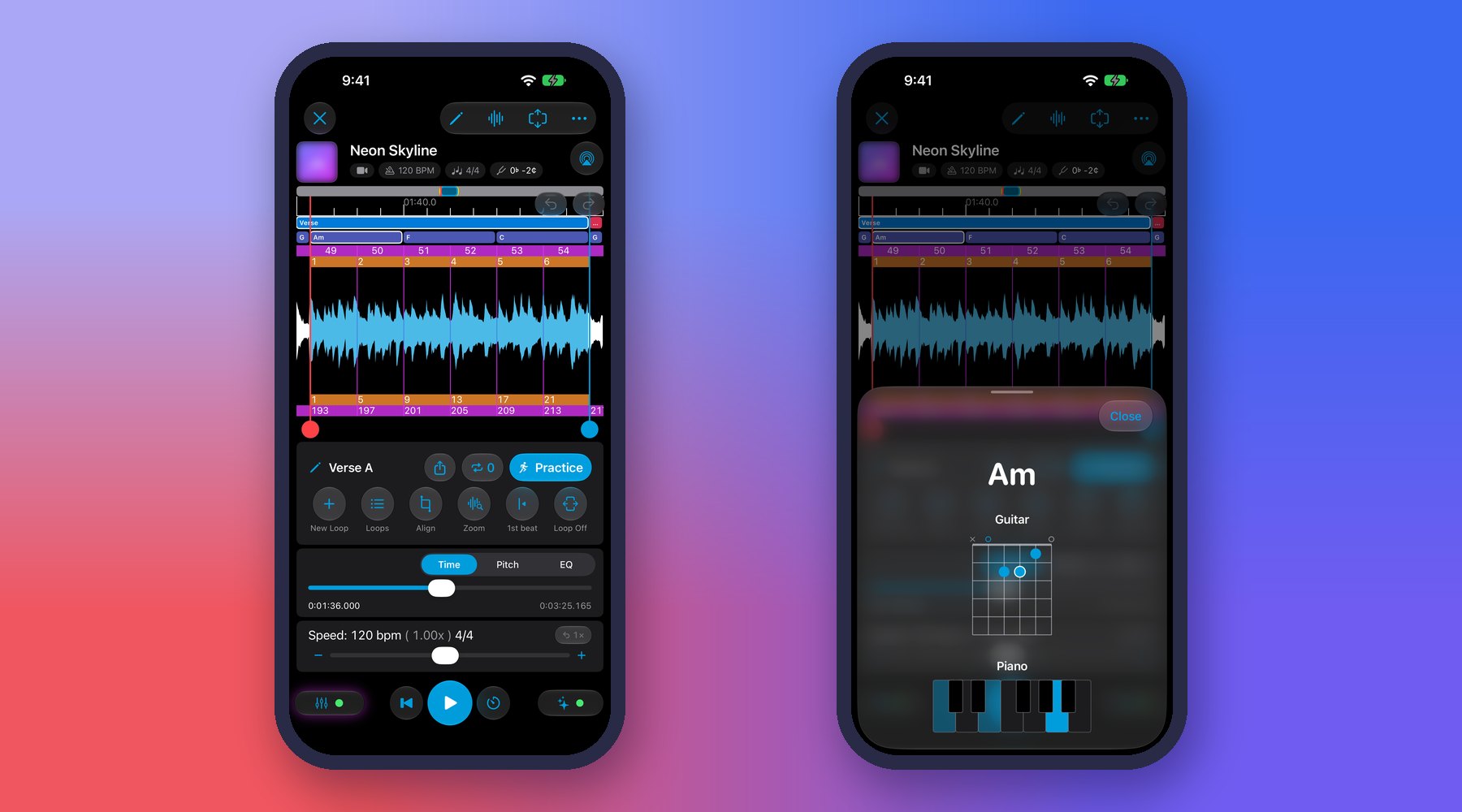
- Set an A (start) and B (end) point on the waveform to loop a passage.
- Fine-tune the loop by dragging on the waveform; use Undo/Redo to step through range changes.
- Name each loop (e.g. Intro, Chorus). New loops are auto-named “Part N” so you can rename them later.
- Set a target rep count to automatically stop after a chosen number of repetitions.
💡 Tip: Loop a little wider than the tricky bar — include the beat before and after, so you practice the transitions in and out of the passage, not just the isolated notes.
💡 Tip: Set a target rep count of 10 and don’t move on until all 10 are clean. Then widen the loop or raise the speed.
💡 Tip: Tap Zoom to see the loop up close. While it plays, the view follows the playhead and stays within the loop, so the bars coming up are always in sight.
Example: To nail a fast fill, put A one beat before it and B one beat after, then loop it slowly until it feels effortless before speeding up.
← All User Guide topics · Previous: Loop and slow down video lessons and concerts · Next: Slow down music without changing the pitch
Download Music Looper on the App Store – for iPhone, iPad, Mac and Apple Watch.