
Set a daily target, keep your streak alive, and let the app suggest what to practice.
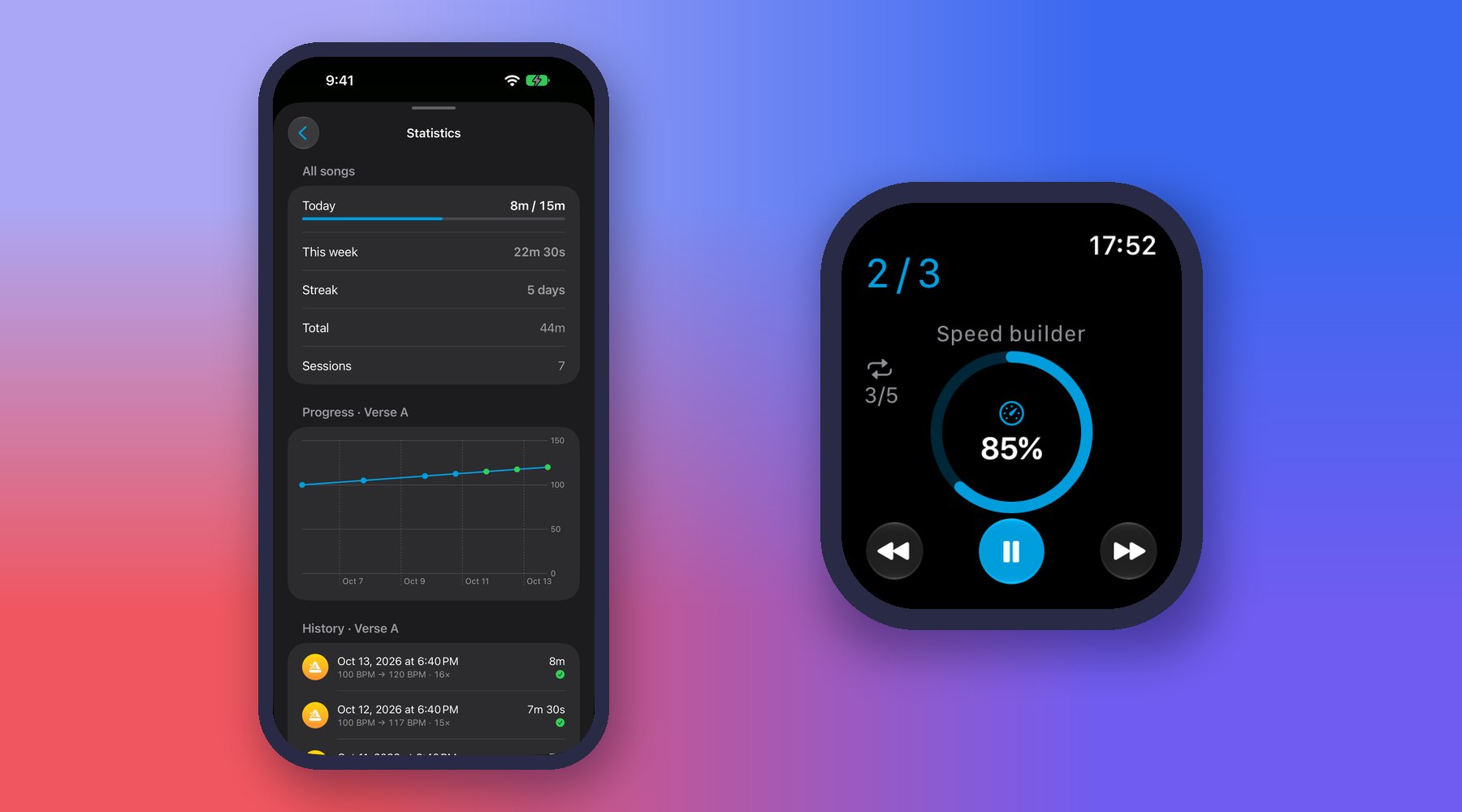
- Daily goal: in Settings ▸ Practice, set how many minutes you want to practice each day (or turn it off). Every practice you run counts toward it — play-along included.
- Today’s progress: the practice stats screen shows how far along today’s goal you are, and marks it as reached.
- Streak: stats also show how many days in a row you’ve practiced, plus this week’s and your all-time practice time.
- Reminder: switch on a daily reminder and pick the time — a notification nudges you before the streak breaks.
- Practice coach: a card on your song list suggests what to practice next, based on what you left unfinished and haven’t touched for a while. With Apple Intelligence the wording is personalized on your device; without it you still get the suggestion.
💡 Tip: Set the goal low enough that a bad day still counts — 10 focused minutes you actually complete beats a 60-minute target you keep missing. You can always practice longer.
Smart review
Smart review brings back, at the right time, saved practices you’ve already played. Your result decides when: reaching the goal pushes the next review further out (2, 4, 7 … up to 60 days), getting at least 70% of the way keeps the same interval, and a weak attempt brings it back tomorrow. Due practices appear in the Today’s review card on your song list — tap Start review to go through them one after another. With the daily reminder on, the notification tells you how many are waiting. In Settings ▸ Practice you can turn it off or set how many reviews you get per day. Only saved practices are included.
← All User Guide topics · Previous: Practice mode, queues and statistics · Next: Play along and record yourself over a loop
Download Music Looper on the App Store – for iPhone, iPad, Mac and Apple Watch.